Manager
Sees the whole school: a summary in the app, full authority in the web center.
- School-wide absences and class occupancy
- Staff permissions and message oversight
- Announcement publishing and decision reports
Mobile app
MiniTakip is one preschool app for directors, teachers and parents. Attendance, the daily timeline, photos and messages all run from the same record, and every role sees it on its own screen.
Roles
The same preschool app recognizes the role that signs in, so everyone sees only what they are responsible for.
Sees the whole school: a summary in the app, full authority in the web center.
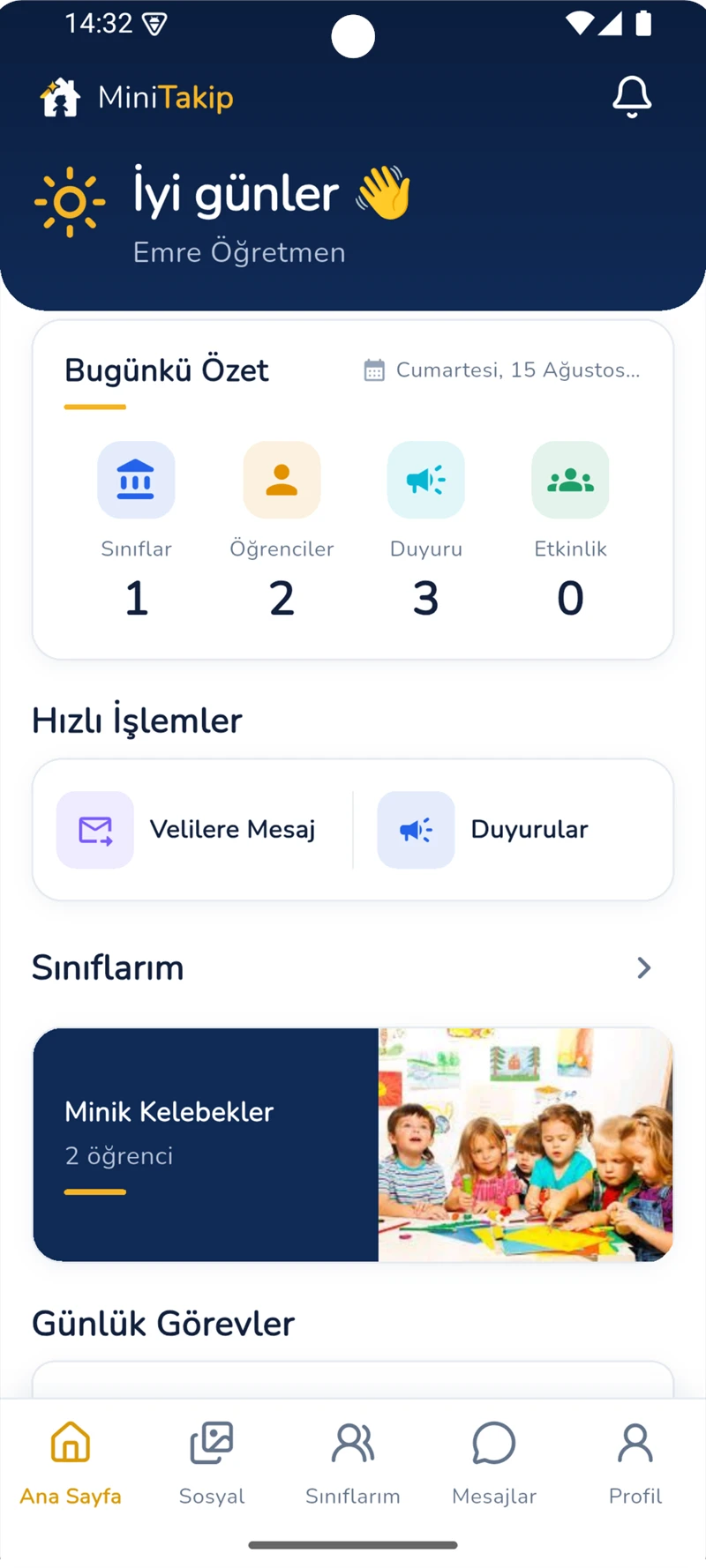
Runs the class day from a phone in a single flow.
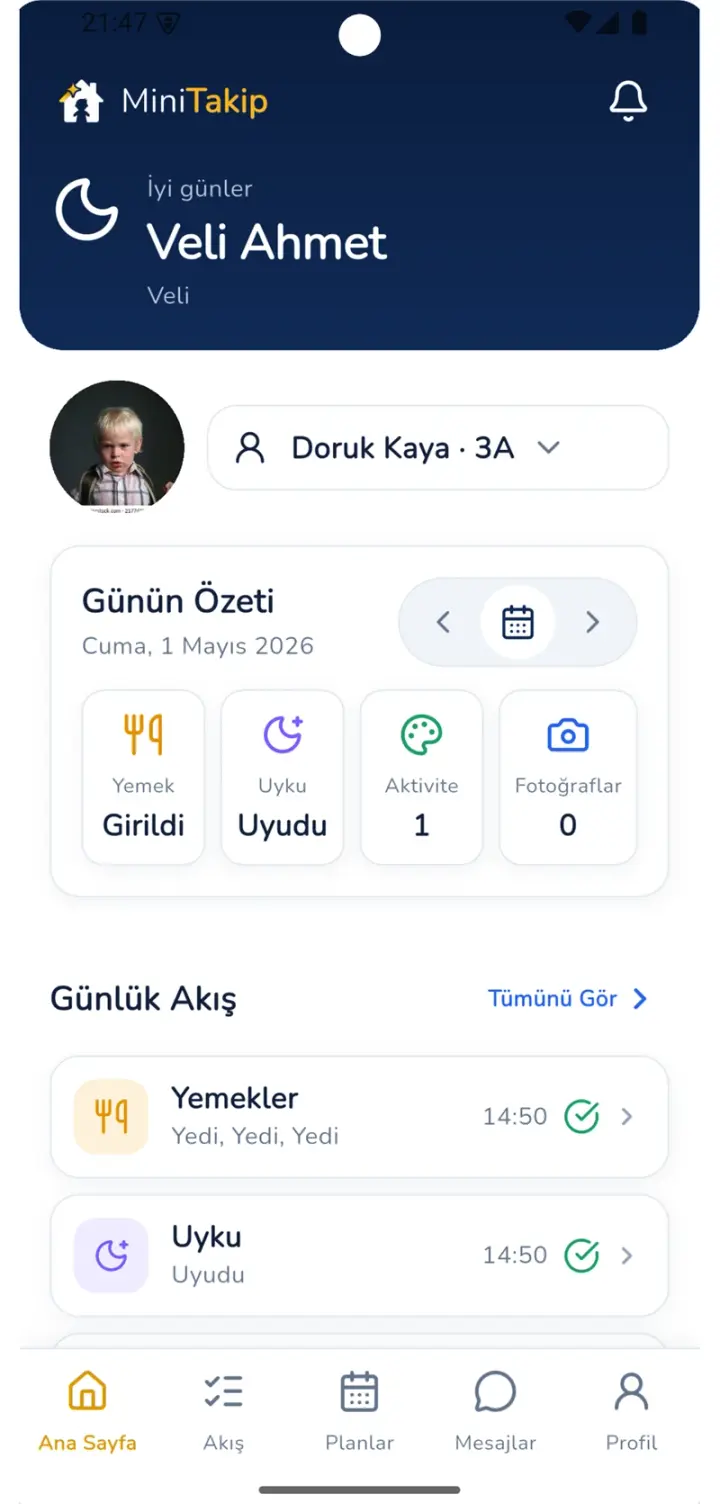
Follows their child's day as it unfolds.
App features
Every feature runs on the same student record, so the same information is never entered twice.
Arrived, absent, late and leave records from the class list are processed with a single touch.
The day's activities are logged in order and appear on the parent's screen at the same time.
Consumption is marked meal by meal and kept together with the menu and allergy information.
Nap start and end times are recorded and added to the daily summary.
Moments captured in class reach only the authorized parent of that child.
Attendance, nutrition, sleep and development records come together in a periodic report.
Teacher and parent correspondence stays inside the school's communication policy and on the record.
Announcements are sent targeted to a class, an age group or the whole school.
Student, class and staff records are managed from the same data as the app.
Real screens
These screens are not marketing illustrations; they are the app's own interface.
Platforms
Teachers and parents work on the phone, school management in the browser, and both show the same record.
Downloaded from the App Store for iPhone and iPad.
Installed through Google Play, with notifications arriving instantly.
Directors and the management team handle records, permissions, finance and reporting from the browser.
Related solutions
Questions
The app is free to download on the App Store and Google Play. The school subscription is based on the number of active students; parents and teachers never pay separately.
Search for MiniTakip on the App Store or Google Play. Once the school record is created, teacher and parent accounts are defined and sign-in happens with those accounts.
Yes. One app recognizes the role of the account signing in and opens the parent, teacher or administrator screen.
Photos and videos shared in class go only to the authorized parent of that child; the school sets the access limit.
Teacher and parent work runs on the phone. Records, permissions, finance and reporting are handled in the web school center.
The app runs on iOS and Android phones and tablets, while the management side supports current desktop browsers.
Get MiniTakip from the App Store or Google Play; you can request a demo for your school without creating an account.
Our team supports the school through setup and record migration.