Devam ve devamsızlık
Günlük yoklama kayıtları öğrenci bazında birikir, dönemsel devamsızlık raporlanır.
Öğrenci takibi
Her çocuğun günü tek kayıtta ilerler: kim geldi, ne yedi, ne kadar uyudu, hangi etkinliğe katıldı, öğretmen ne gözlemledi. Bilgi öğretmenin aklında değil, öğrencinin kaydında durur.
Gün akışı
Takip programı, öğretmene ek iş çıkarmaz. Zaten yapılan işlerin kaydını gün içinde alır.
Sınıf listesinden geldi, gelmedi, geç ve izinli kaydı tek dokunuşla işlenir.
Planlanan etkinlik, gözlem notu ve fotoğraflar sınıfın günlük akışına eklenir.
Kahvaltı, öğle ve ikindi öğünleri çocuk bazında işaretlenir.
Dinlenme süresi kaydedilir ve gün sonu raporuna yansır.
Tüm kayıtlar tek özette toplanır, öğretmen notu eklenir ve veliye ulaşır.

Takip kapsamı
Kayıtların tamamı öğrencinin kendi dosyasına bağlanır: öğretmen sınıf ekranından işler, kurum yönetim merkezinden raporlar, veli yalnızca kendi çocuğunun kaydını görür.
Günlük yoklama kayıtları öğrenci bazında birikir, dönemsel devamsızlık raporlanır.
Etkinlik, beslenme, uyku ve gözlem notları tek zaman çizelgesinde ilerler.
Aylık program, bülten ve gelişim gözlemleri öğrenci kaydına bağlı tutulur.
Alerji, ilaç ve yetkili teslim kişisi bilgileri ilgili ekranlarda uyarı olarak görünür.
İzin belgeleri, onaylar ve geçerlilik süreleri kayıtla birlikte izlenir.
Sınıf ve öğrenci bazlı raporlar işlem geçmişiyle birlikte kurum merkezinde toplanır.
Öğretmen tarafı
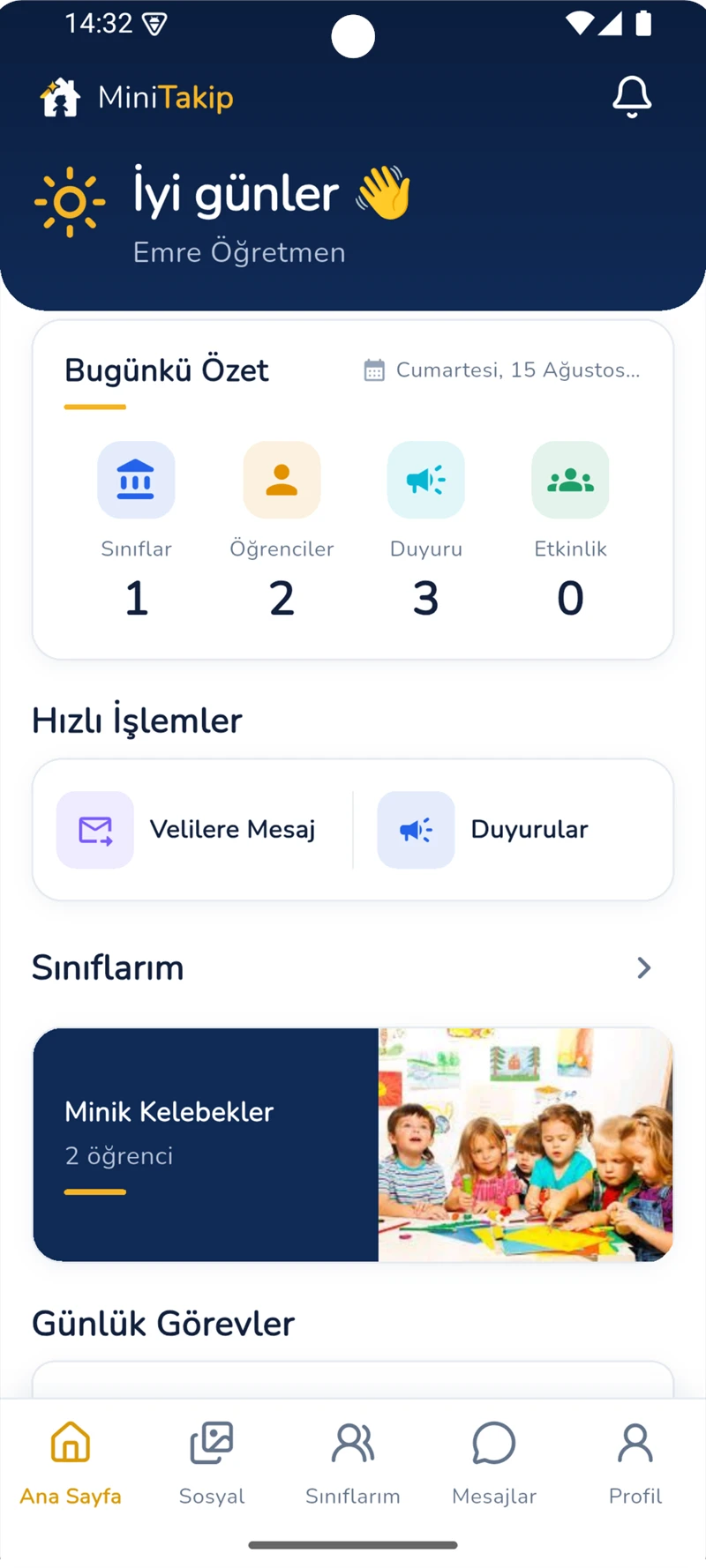
Öğretmen ana ekranında bugünkü özet, hızlı işlemler ve günlük görevler bulunur. Yoklama, günlük akış, etkinlik planı ve öğrenci raporları sırayla tamamlanır.
Kimin ne gördüğü
Yalnızca sorumlu olduğu sınıfların öğrenci kayıtlarını işler ve görür.
Kurum genelindeki takip verisini rapor ve denetim ekranlarından izler.
Yalnızca kendi çocuğunun günlük akışını ve raporlarını görür.
Sorular
Kayıtlar gün içinde, işin yapıldığı anda alınır. Yoklama sınıf listesinden tek dokunuşla, beslenme ve uyku çocuk bazında işaretlemeyle işlenir. Gün sonunda ayrıca rapor yazılmaz; girilen kayıtlar özete dönüşür.
Evet. Öğrenci kaydına bağlı günlük akış tarih seçilerek geçmişe dönük görüntülenir; kurum tarafında dönemsel raporlar alınır.
Evet. Program ve gelişim modülü bir öğrenci gelişim takip sistemi gibi çalışır: aylık program, bülten ve öğretmen gözlemleri öğrenci kaydına bağlı olarak tutulur ve veliyle paylaşılabilir.
Evet. Aynı uygulama kreşlerde de çalışır; yalnızca uyku, beslenme ve bakım kayıtları daha yoğun kullanılır. Kreş tarafındaki işleyiş kreş yönetim programı sayfasında ayrıntılı anlatılıyor.
İlgili sayfalar
Uygulama içindeki hazır demo ile bir günün nasıl kaydedildiğini hesap açmadan inceleyebilirsiniz.