Devam durumu
Geldi, geç, izinli veya gelmedi kaydı raporun başında yer alır.
Gün sonu özeti
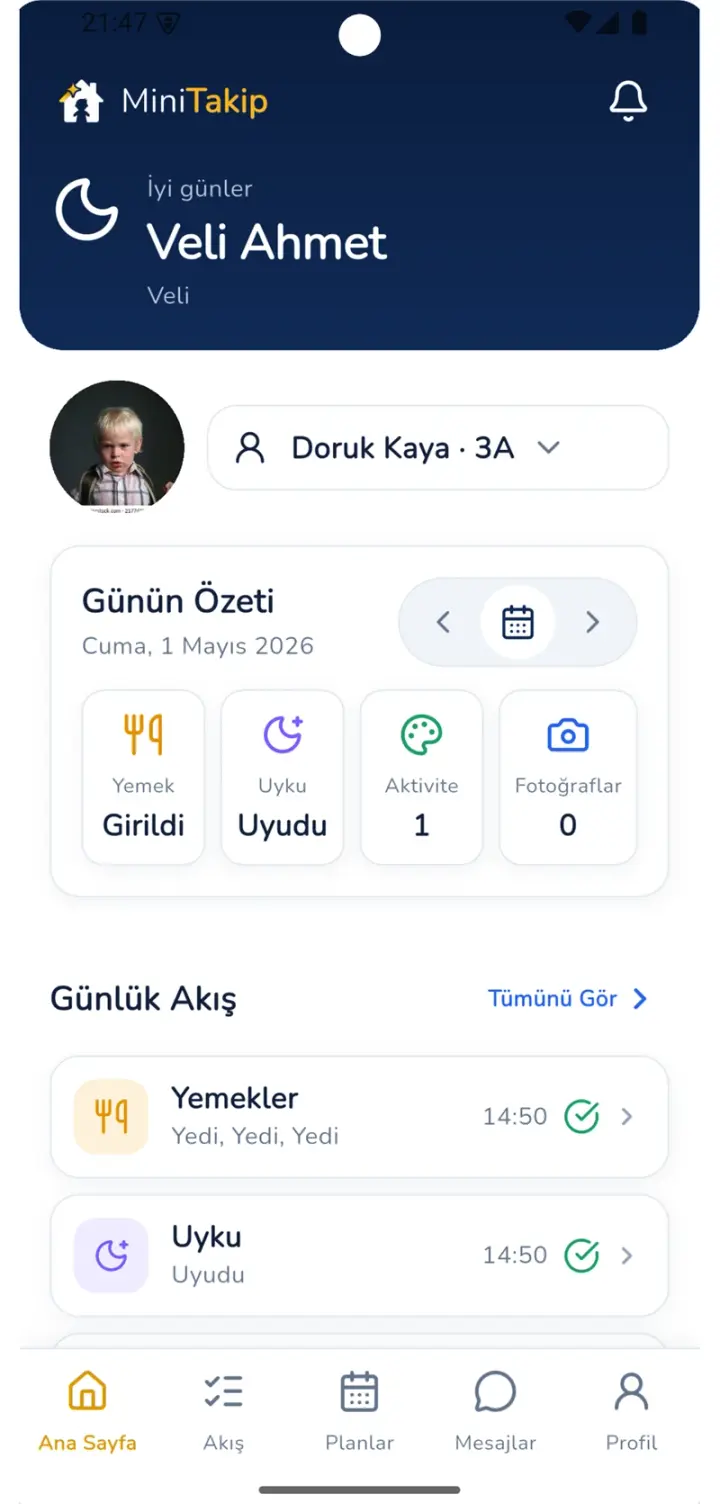
Günlük rapor ayrı yazılan bir belge değildir. Gün içinde girilen yoklama, beslenme, uyku, etkinlik ve gözlem kayıtları gün sonunda tek özette birleşir ve veliye ulaşır.
Raporun oluşumu
Öğretmen gün sonunda boş bir forma başlamaz; gün boyunca işaretlediği kayıtlar raporu oluşturur.
Devam durumu işlenir ve raporun ilk satırı oluşur.
Etkinlik, gözlem notu ve fotoğraflar günlük akışa eklenir.
Öğünler çocuk bazında işaretlenir.
Dinlenme süresi kaydedilir.
Tüm kayıtlar tek özette toplanır, öğretmen notu eklenir ve veliye bildirimle ulaşır.

Veli tarafı
Her kayıt girildiği anda veliye bildirim gider. Gün sonunda ise tüm gün tek özette toplanır; veli tarih seçerek geçmiş günlere döner.
Rapor içeriği
Geldi, geç, izinli veya gelmedi kaydı raporun başında yer alır.
Kahvaltı, öğle ve ikindi öğünleri çocuk bazında işaretlenir.
Dinlenme süresi kaydedilir ve raporda görünür.
Günün etkinlikleri ve katılım durumu akışa eklenir.
Sınıf içi paylaşımlar yalnızca ilgili velilere açılır.
Çocuğa özel gözlem notu gün özetinin sonunda yer alır.
Elle rapordan farkı
Sorular
Hayır. Gün içinde girilen yoklama, beslenme, uyku ve etkinlik kayıtları raporu oluşturur. Öğretmen yalnızca çocuğa özel gözlem notunu ekler.
Her kayıt girildiği anda veliye bildirim gider; gün sonunda ise tüm gün tek özette toplanır.
Evet. Kurum yönetim merkezindeki bugün ekranında eksik kalan günlük akışlar listelenir, raporlar bölümünde kurum geneli metrikler izlenir.
İlgili sayfalar
Uygulamayı indirip hazır demo üzerinden bir günün nasıl özetlendiğini hesap açmadan görebilirsiniz.